

18th Dec 2025
How to Engrave a Back-Blasted, Stage-Carved Glass Award From Start to Finish
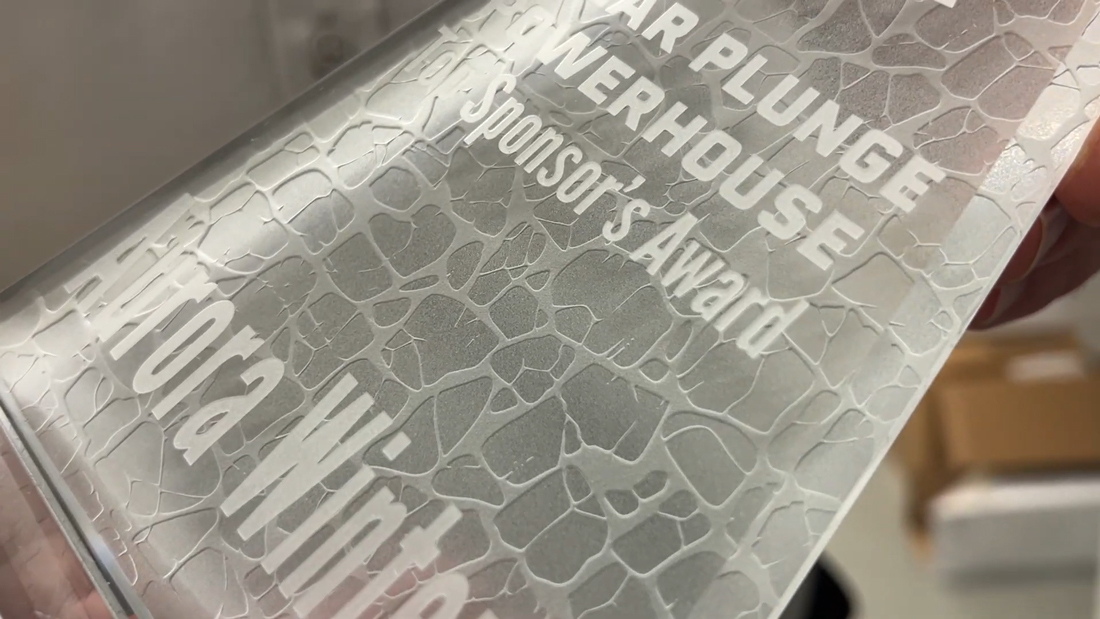
Back blasting and stage carving is one of the best ways to make your glass awards stand out. You get crisp detail from a deep first pass, then a clean frosted background from a quick second pass on the backside.
In this walkthrough, we follow the exact process from stencil production through final blasting using IKONICS Imaging's R4 photoresist film, a Quick Image auto exposure unit, the AquaBlast Elite auto washout unit with SmartFlo technology, and our CrystalBlast Elite sandcarver.
WATCH VIDEO: Back Blasted Stage Carved Award with IKONICS Imaging
What you will learn
- How to produce a stencil with R4 series photoresist film on the Quick Image exposure unit
- How to wash out efficiently using the Aqua Blast Elite Auto Washout Unit and make touch-ups
- How to apply film to a glass award with fewer bubbles using a Smart Jig, careful squeegeeing, and a Wire Wheel
- How to protect polished edges with simple masking
- How to blast for stage-carved depth first, then add an even frosted finish with a fast second pass
Equipment and materials used
- R4 series photoresist film
- Quick Image exposure unit (built-in vacuum for holding artwork tight to film)
- AquaBlast Elite 3.0 Auto Washout Unit (Smart Flow technology, plus washout gun for touch-ups)
- Film dryer
- Glass cleaner and lint-free wipes
- Smart Jig
- Squeegee
- Wire Wheel (for popping micro-bubbles)
- Masking tape (edge protection)
- CrystalBlast Elite 3.0 sandcarver
Step-by-step process
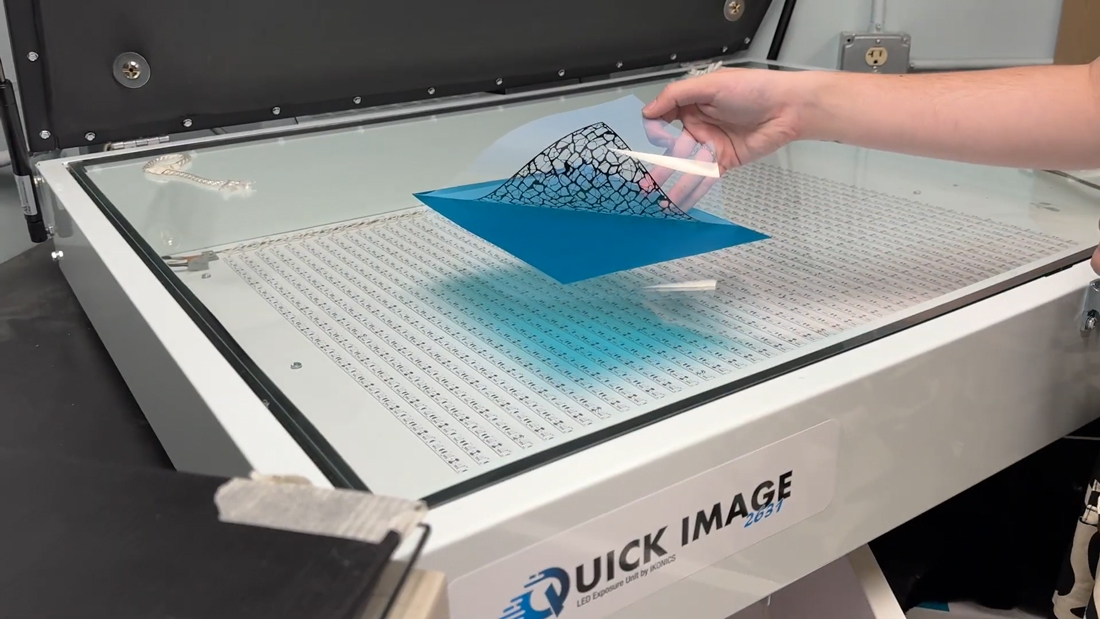
1. Expose the film on the Quick Image
First print your design as dark as possible on transparent film (we like to use AccuBlack). Then make your stencil with the photoresist film that matches your project (we are using R4 series film). Expose using a Letralite or Quick Image. The Quick Image exposure unit is designed for high production stencil making and includes a built-in vacuum that suctions the artwork to the film to hold fine details during exposure.
Tip: Align your artwork and film before engaging the vacuum. Any shift at this stage can show up later in washout and blasting.
LEARN MORE: Choosing The Right Photoresist Film

2. Wash out on the AquaBlast Elite Auto Washout Unit
After exposure, wash out the film by hand, or use one of our auto washout units (we are using the Aqua Blast Elite 3.0). The SmartFlo technology built in to our auto washout units uses only two to four gallons of water per minute, which can save time and reduce water use when washing out larger volumes of photoresist film. If you need to correct small areas after washout, the unit includes a washout gun for touch-ups.
Tip: Inspect and complete any touch-ups before drying. It is easier to correct small issues now than after the stencil is applied to glass.
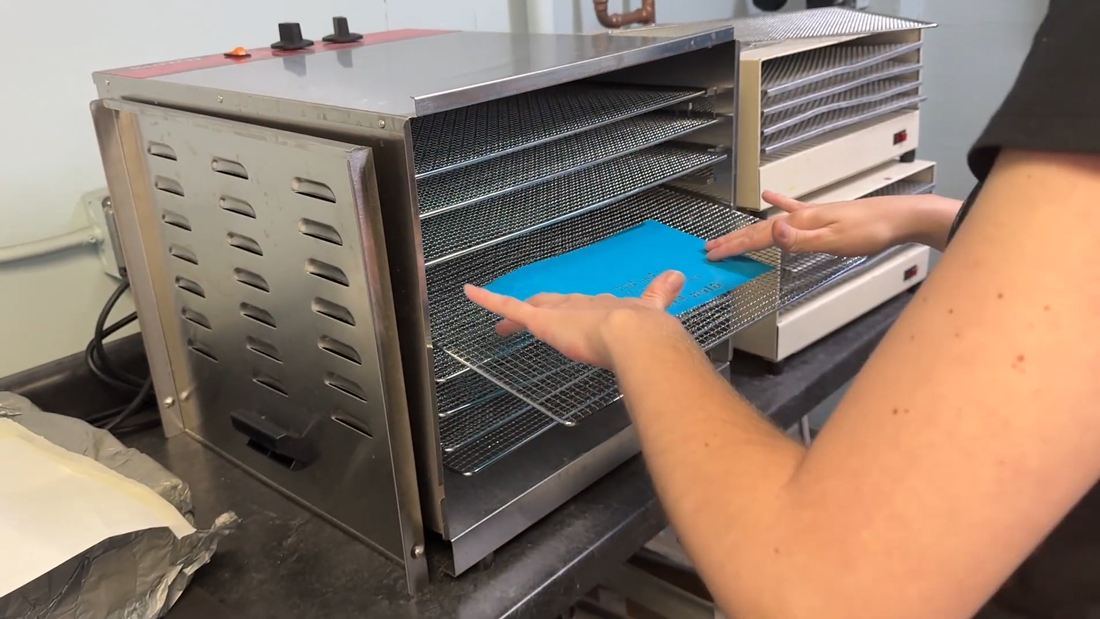
3. Dry the film completely
Air dry or dry the stencil in a film dryer until fully dry. A properly dried stencil applies more cleanly, squeegees down better, and is less likely to lift during blasting.
Tip: Do not rush drying. Even slight moisture can contribute to bubbles or weak adhesion.
4. Prep the glass award
Clean the glass award thoroughly with a glass cleaner. Any dust, oil, or residue can reduce adhesion and increase the chance of blowoffs during blasting.
Tip: After cleaning, avoid touching the application area with bare fingers. Wear gloves if necessary.
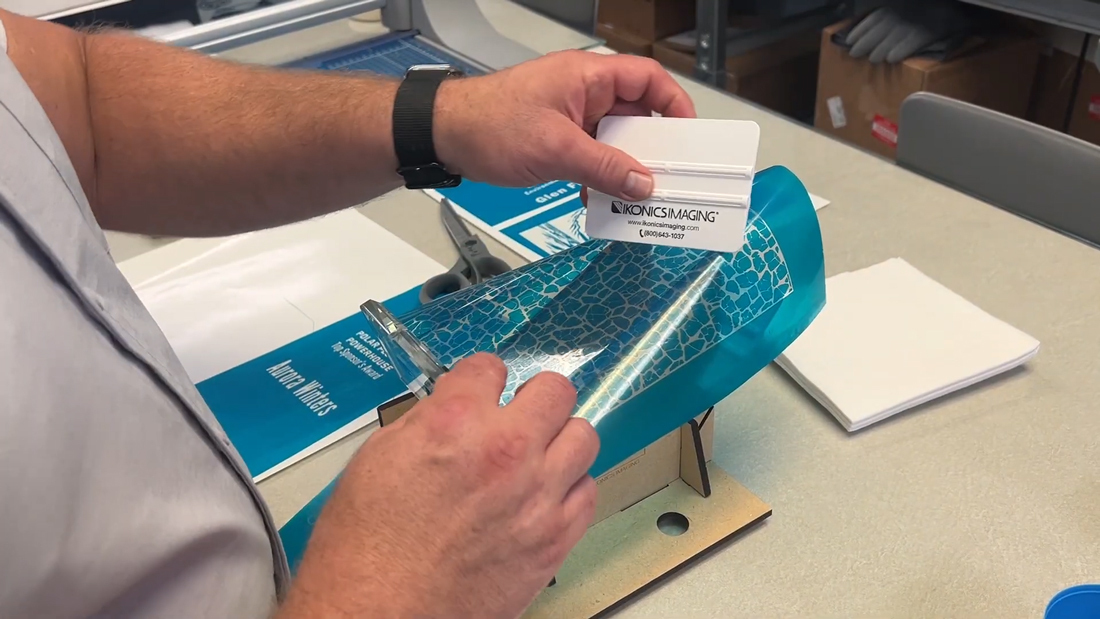
5. Apply the stencil to the back using a Smart Jig
Depending on the shape of the item, we like to use a Smart Jig to hold the award while applying the film. Position the film, then use a squeegee to remove bubbles and ensure full contact with the glass. Do this before removing the carrier sheet. Once applied, trim as needed and remove the carrier sheet.
6. Pop micro-bubbles with a Wire Wheel
Don't skip this step! After removing the carrier sheet, use a Wire Wheel to pop any tiny bubbles. Skipping this step can lead to blowoffs during blasting.
Tip: Focus on edges, corners, and fine details where micro-bubbles are most likely to cause problems.
7. Repeat for the front artwork and mask the edges
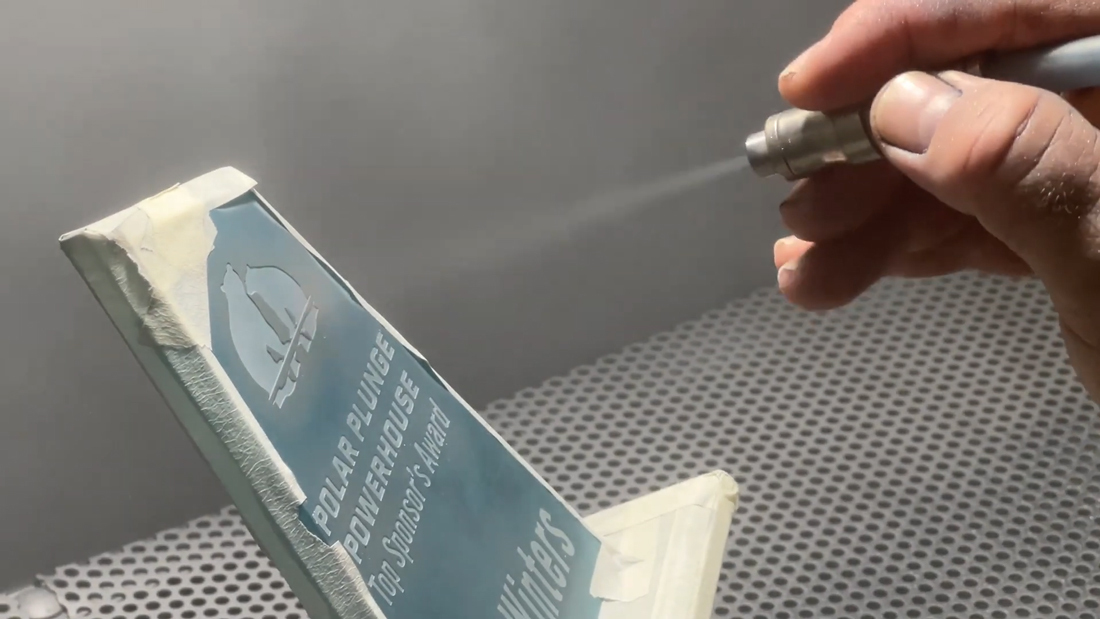
Repeat the same application process for the front artwork. After both stencils are applied, use masking tape to protect the edges so they stay polished and do not frost during blasting.
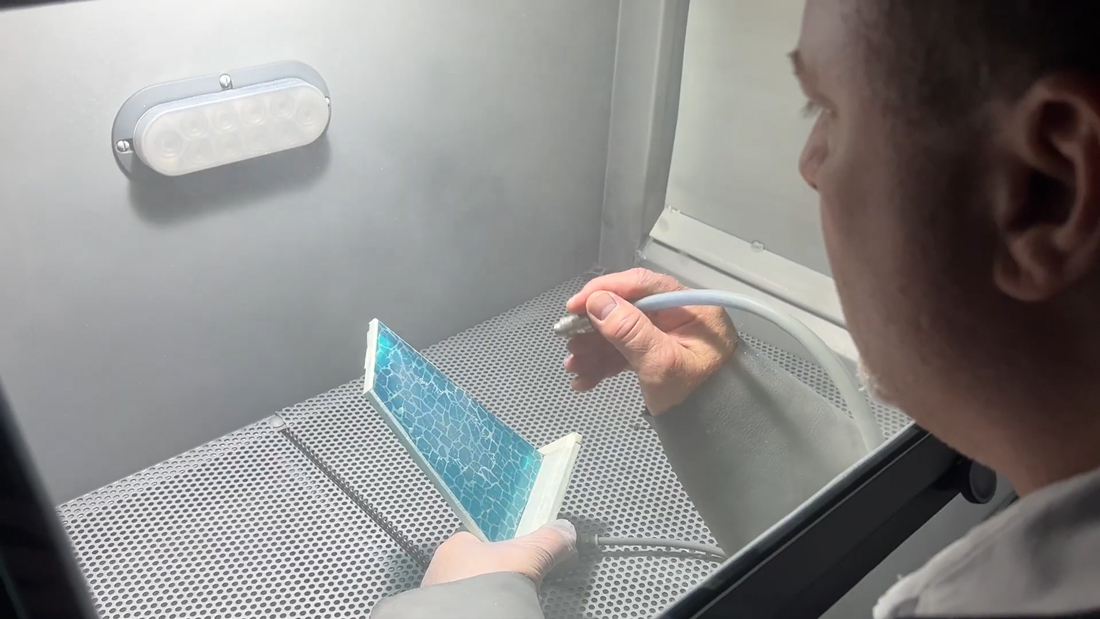
8. Blast the first pass for depth on the CrystalBlast Elite 3.0
Blast using your CrystalBlast sandcarver (we are using the CrystalBlast Elite 3.0). Keep the nozzle moving to get an even etch and reduce the chance of blowoffs. The first pass removes the thin membrane that holds the stencil pieces together. Because this is a stage carved award, the first pass should have good depth. That depth is what makes the lines and detail visible after the frosted finish is added later.
Tip: Prioritize depth on the first pass. If the first pass is too shallow, the frosting pass can reduce contrast and the design may not read as cleanly.
9. Remove the film
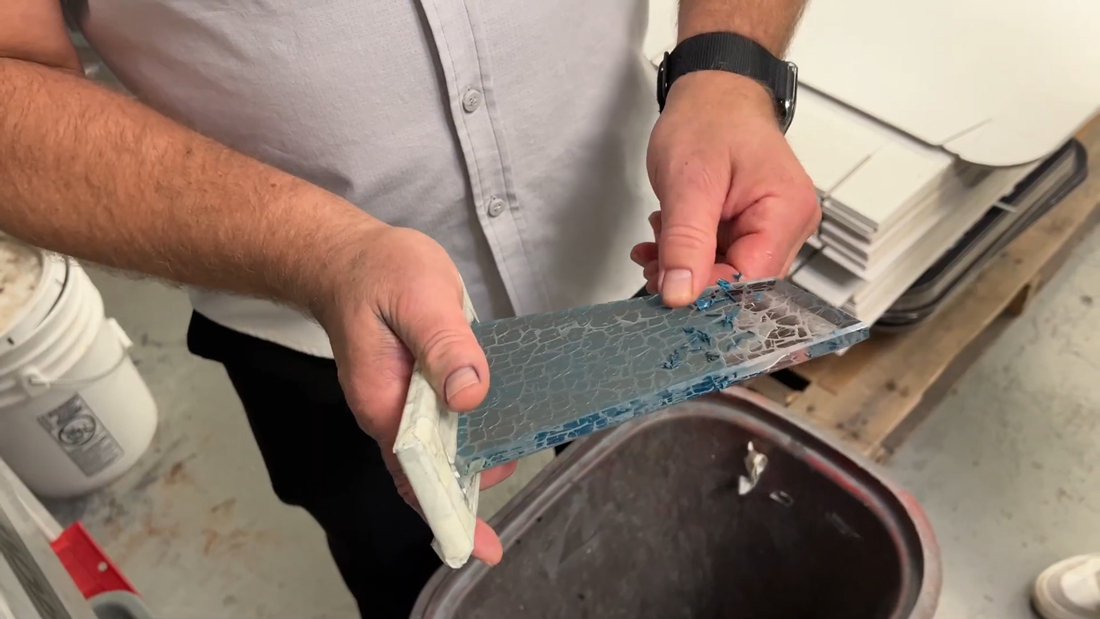
Remove the film once you are satisfied with the depth. R4 film removes cleanly. You can peel it by hand or soak it in water and remove it that way.
10. Add a quick, light second pass for an even frosted finish
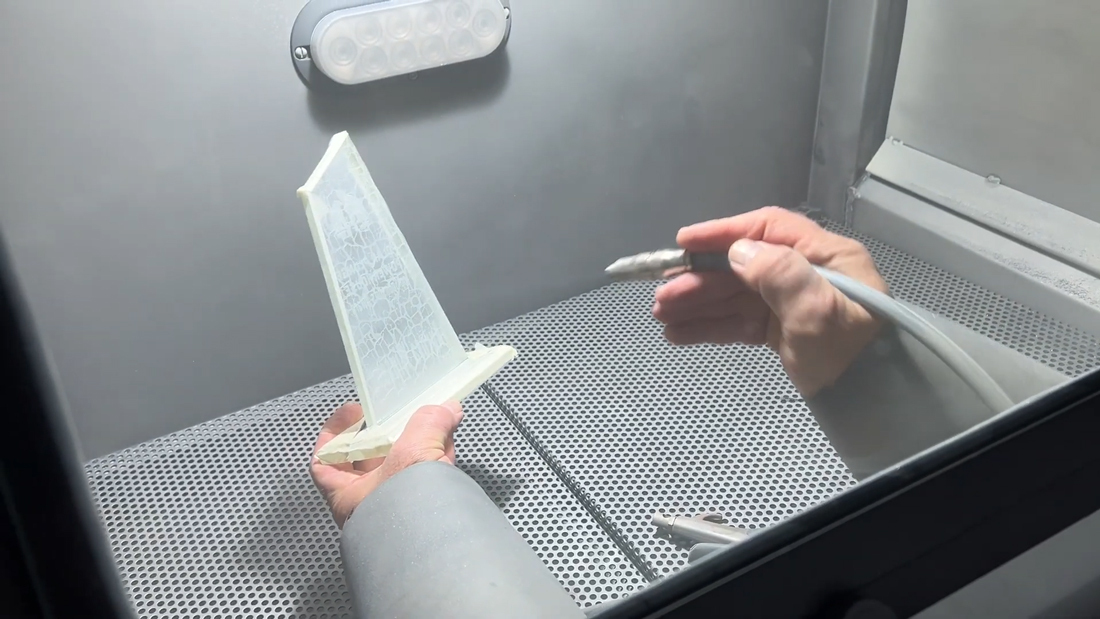
Bring the award back into the blaster and apply a fast, light etch to the backside to create a frosted look. Keep the nozzle moving and do not go too deep. The goal is an even frost that makes the artwork and text stand out.
Tip: If the frost looks patchy, slow down slightly and keep your motion consistent. This second pass usually does not take long.
Common issues and quick fixes
Blowoffs during blasting
- Most often caused by bubbles or weak adhesion
- Fix: squeegee thoroughly before removing the carrier sheet, then pop micro-bubbles with the Wire Wheel
Uneven etch depth
- Often caused by pausing too long in one spot
- Fix: keep the nozzle moving and overlap passes consistently
Frosted background looks blotchy
- Usually caused by inconsistent motion or distance
- Fix: use a light, even second pass and touch up only where needed
Contact IKONICS Imaging for More Information on Stage Carving Awards
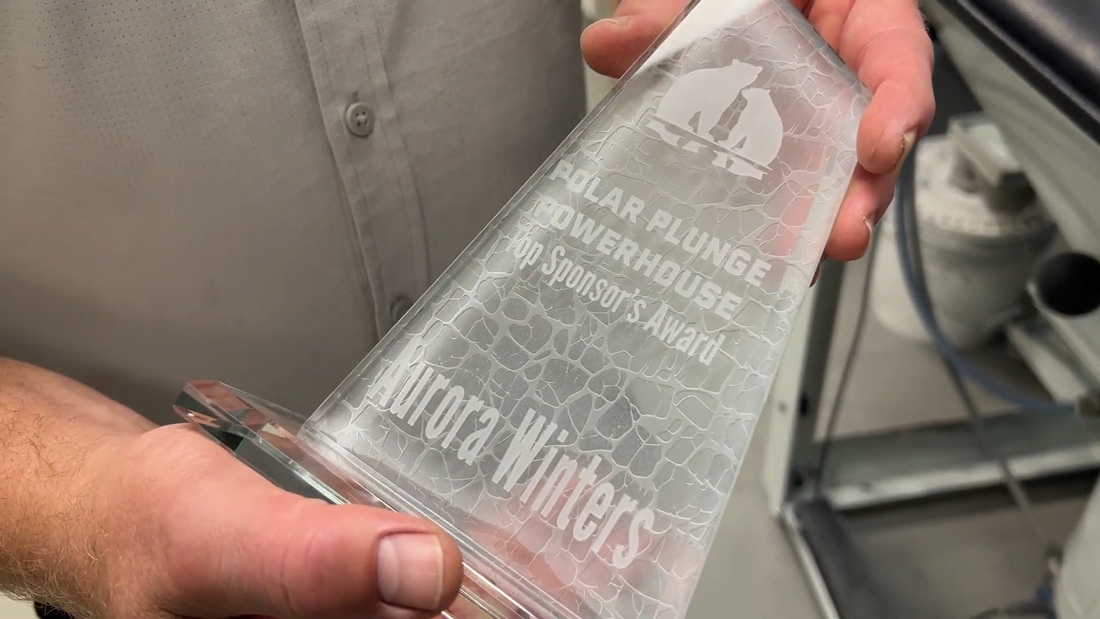
This back blasted, stage carved award process is all about control at each stage: producing a clean stencil, washing out and drying it properly, applying it bubble-free, and blasting with consistent nozzle movement. A deep first pass creates the definition you need for stage-carved detail, and a quick, light second pass on the backside adds an even frosted finish that improves contrast and makes the artwork and text stand out.
If you have any questions on how to stage carve awards, please contact IKONICS Imaging for more information.